
MONITOREO DE IMPRESIÓN FÁCIL DE USAR CON SOPORTE INIGUALABLE
Los Sistemas de Visión UniPRINT abren nuevo camino en la visualización de banda con métodos comprobados para la reducción de desperdicios, combinado con un servicio y apoyo técnico local como ningún otro. Con imágenes nítidas, pantalla táctil y la capacidad de inspeccionar tintas estándar o invisibles bajo luz ultravioleta con un solo sistema, UniPRINT supera las especificaciones de otros sistemas de monitoreo de banda en su rango de precio. Ya sea si elige el paquete de software ESTÁNDAR, o si actualiza a funciones de inspección avanzadas con software TOUCH o PRO, puede estar seguro de que cada sistema UniPRINT ofrece rendimiento de alta calidad y precio excepcionales.
Print Monitoring


Unilux UniPRINT Inspection System
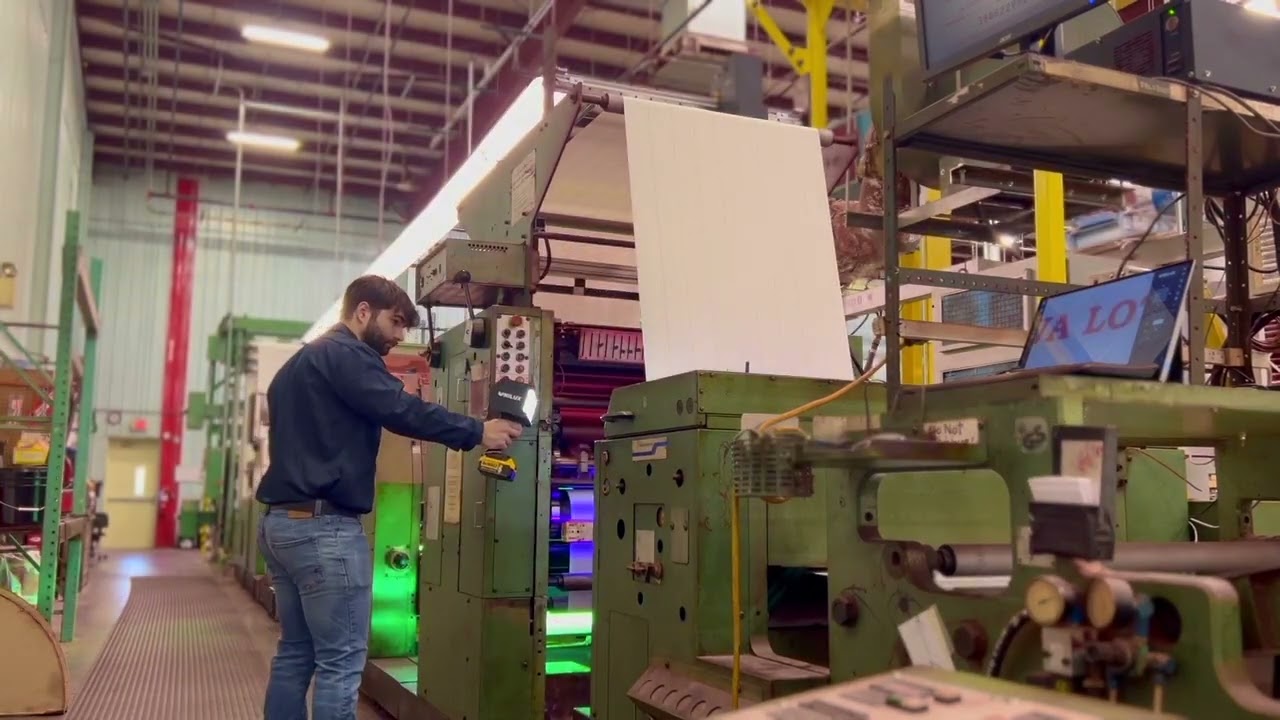
UniPRINT Installation at PAP Technologies

Introducing UniPRINT Print Monitoring from Unilux
CARACTERÍSTICAS
-
Imágenes digitales de alta definición
-
Potente zoom óptico de 18X
-
Pantalla táctil
-
Lente de precisión macro acromático
-
Cámara de escaneo progresivo
-
Amplia área de visualización estándar de 130 x 100 mm
-
Inspección disponible con luz Blanca, o luz Blanca + luz UV
-
VVelocidad de desplazamiento motorizado variable (hasta 300 mm/s)
-
Opciones de cámara doble, retroiluminación y riel XL para adaptar a un amplio rango de aplicaciones

MODELOS DE CÁMARA

Modelo 100
El modelo 100 es el sistema ideal para máquinas de banda estrecha. Gracias a su especialmente diseñada recámara estroboscópica y rotación fija de 90 grados de la cámara, ofrece un campo de visión muy amplio de 100 x 130 mm en un tamaño compacto.

Modelo 130
La 130 es un excelente producto para bandas medianas, al igual que una opción de nivel básico para banda ancha que supera las especificaciones de muchos otros sistemas en su rango de precio. Con un campo de visión de 130 x 100 mm, zoom óptico de 18x y estrobo doble, ofrece imágenes nítidas y una calidad excepcional en su rango de inversión.

Modelo 130 UV
Inspección de abrillantadores ópticos o tintas y recubrimientos UV-visibles en aplicaciones de impresión de seguridad de banda media a banda ancha. Algunos ejemplos son billetes, lotería, marcas de anti-falsificación para autenticidad de marca, y verificación de registro de sellos en frío.

Modelo 185
El modelo 185 es la opción ideal para la inspección de alta calidad de bandas anchas. Ofrece un amplio campo de visión de 185 x 140 mm iluminado por cuatro estrobos. El modelo 185 es la opción ideal para la inspección de alta calidad de bandas anchas. Ofrece un amplio campo de visión de 185 x 140 mm iluminado por cuatro estrobos.
SOFTWARE PACKAGES (STANDARD, TOUCH, OR PRO)
Feature | Description | Standard | Touch | Pro |
|---|---|---|---|---|
Label Checking* | Allows the user to check each label along the repeat length. | X | X | X |
Electronic Web Edge* | Left and right positions of the edge of the web as defined by
the operator, when the camera is set at the desired position on either side of the web path. This also allows partial
selection or narrowing of the web width. | X | X | X |
Automatic Constant Scan* | Bypasses the slower speeds and step adjustment and allows the operator to rapidly see the
entire print repeat as quickly as possible by automatically calculating the most optimum settings.
Fast Scan calculates its path based on web parameters set in Job Settings. | X | X | X |
Vertical Automatic Constant Scan* | Automatically moves the camera along the web path direction in a series of steps,
pausing to take several images at each step before moving on to the next position. This mode
also enables the camera to step horizontally across the entire print repeat. | X | X | X |
Register Mark Memory* | Allows the user to store a position along the web to enable a quick return at any time. It can be
used to store any position of interest. At any time during the normal print run, a single button will reposition the camera to the stored position. | X | X | X |
Split Screen | For color/registration comparison. Freeze the image on the left side of the screen for side-by-side image comparison with the moving web. Image comparison will
allow the operator to check color quality throughout the print run and to check deviations in
registration. | X | X | X |
Keypad with Standard Monitor | A simple method of operating the UniPRINT camera and job setup. | X | — | — |
Touch Screen Monitor | Simplify operation by controlling the camera and setting up print jobs with a simple touch interface. | — | X | X |
Multiview* | Displays the last four or nine images captured by the camera, allowing the operator to see four
or nine times the web area with a single glance. | — | X | X |
Image to Disc | Saves the current image to an external USB drive. | — | X | X |
Smart Label Checking | Smart Label Checking streamlines quality control for numbered labels in a sequence by enabling inspection at any given repeat. | — | X | X |
Eyemark Sync | Simplify job setup by using existing registration marks for inspection. This feature eliminates the need to add a dedicated single registration mark per repeat for proper synchronization. | — | X | X |
*Requires motorized traverse system
