top of page

Print Monitoring

搜尋影片...

Unilux UniPRINT Inspection System
02:16
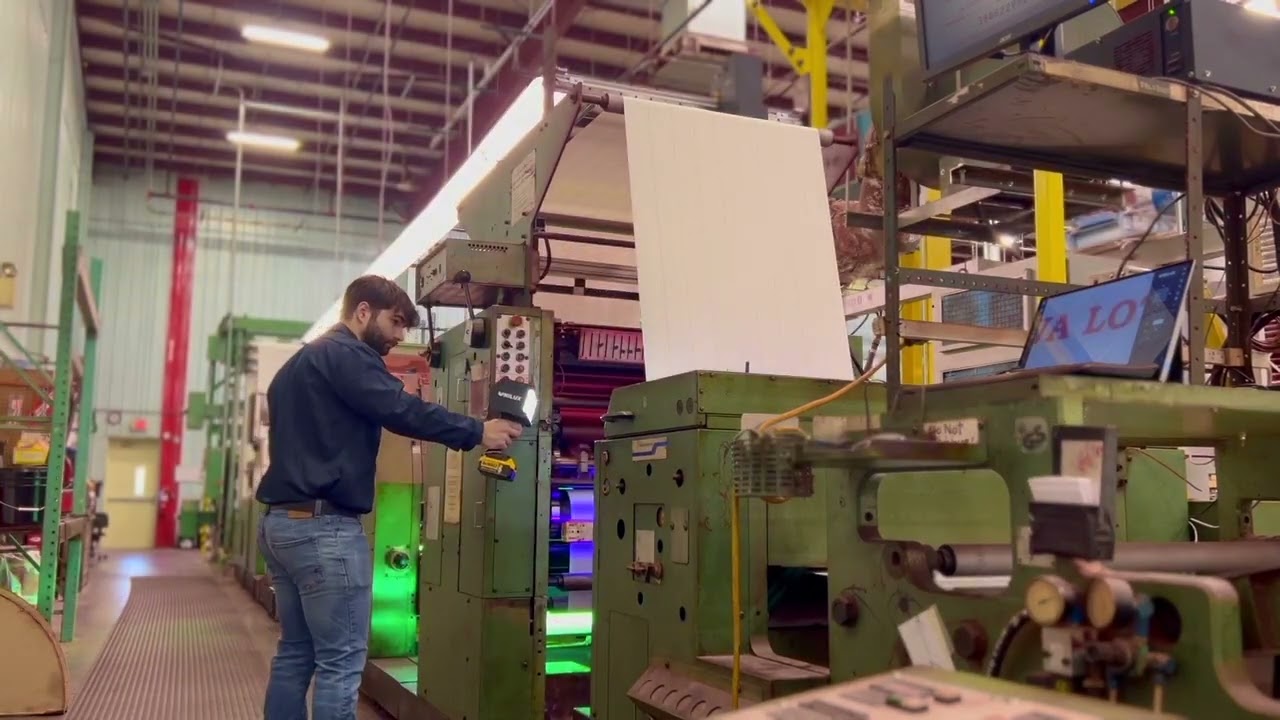
UniPRINT Installation at PAP Technologies
00:56

Introducing UniPRINT Print Monitoring from Unilux
01:02
性能
-
高精度数字成像
-
强大的18X光学变焦
-
触屏操作
-
精密辨析色差镜头
-
渐进式相机扫描
-
130 x 100毫米大范围检查区域
-
可选标准/白光或紫外线/黑光检测
-
变速导轨(高达300毫米/秒速度)
-
双摄像头、背光以及 XL 导轨选项,适用于多种应用场合。

MODELS
摄像头型号

Model 100
Model 100 是适用于窄幅印机的理想机型。其特别设计的光室和固定相机可在90 度范围内旋转,能在紧凑的尺寸内实现高达 100 x 130 毫米的广阔视野

Model 130
MODEL 130 是一款优秀的入门级宽幅印面检查系统,其性价比远超同等价格范围内的其他竞品。130 x 100 mm 视野范围,18x光学变焦和双频闪灯,图像如水晶般清晰,提供卓越的性能和超高的性价比。

Model 130 UV
应用于中幅至宽幅的防伪印刷和光学增白剂或紫外可见油墨及涂层的检查。此类应用包括货币、彩票、品牌真伪的防伪标签以及冷塑包装等。

Model 185
MODEL 185 是高质量宽幅印面检查的理想选择。它为用户提供了由四角度频闪灯照明的 185 x 140 mm 视野范围。
软件包(标准版,触屏版,或专业版)
Feature | Description | Standard | Touch | Pro |
|---|---|---|---|---|
Label Checking* | Allows the user to check each label along the repeat length. | X | X | X |
Electronic Web Edge* | Left and right positions of the edge of the web as defined by
the operator, when the camera is set at the desired position on either side of the web path. This also allows partial
selection or narrowing of the web width. | X | X | X |
Automatic Constant Scan* | Bypasses the slower speeds and step adjustment and allows the operator to rapidly see the
entire print repeat as quickly as possible by automatically calculating the most optimum settings.
Fast Scan calculates its path based on web parameters set in Job Settings. | X | X | X |
Vertical Automatic Constant Scan* | Automatically moves the camera along the web path direction in a series of steps,
pausing to take several images at each step before moving on to the next position. This mode
also enables the camera to step horizontally across the entire print repeat. | X | X | X |
Register Mark Memory* | Allows the user to store a position along the web to enable a quick return at any time. It can be
used to store any position of interest. At any time during the normal print run, a single button will reposition the camera to the stored position. | X | X | X |
Split Screen | For color/registration comparison. Freeze the image on the left side of the screen for side-by-side image comparison with the moving web. Image comparison will
allow the operator to check color quality throughout the print run and to check deviations in
registration. | X | X | X |
Keypad with Standard Monitor | A simple method of operating the UniPRINT camera and job setup. | X | — | — |
Touch Screen Monitor | Simplify operation by controlling the camera and setting up print jobs with a simple touch interface. | — | X | X |
Multiview* | Displays the last four or nine images captured by the camera, allowing the operator to see four
or nine times the web area with a single glance. | — | X | X |
Image to Disc | Saves the current image to an external USB drive. | — | X | X |
Smart Label Checking | Smart Label Checking streamlines quality control for numbered labels in a sequence by enabling inspection at any given repeat. | — | X | X |
Eyemark Sync | Simplify job setup by using existing registration marks for inspection. This feature eliminates the need to add a dedicated single registration mark per repeat for proper synchronization. | — | X | X |
*Requires motorized traverse system

bottom of page